Online form for bookings
Only you decide what information to request from customers during online booking.
Form builder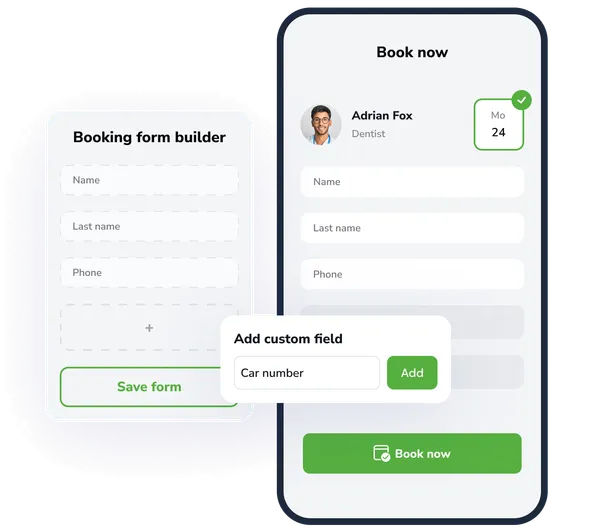
Boost efficiency
Collect only the information you need to simplify the booking process and increase conversion.
Flexible settings
Add, remove, or edit form fields to match your business needs.
Different field types
Use text fields, drop-down lists, checkboxes, dates, and other types to collect the right information.
14 days of the full version for free
Use all the features of our product completely free and without limits. Explore the functionality, benefits, and convenience of EasyWeek.

Ready-made solutions for your business
Choose your industry to get a tailored option for your sector.
 Beauty
  Healthcare
  Sport
Sport  Services
  Leisure
  Education
  Pets
Pets  Rental
  Car
Car  Hospitality
  Other
Other A convenient app for all devices
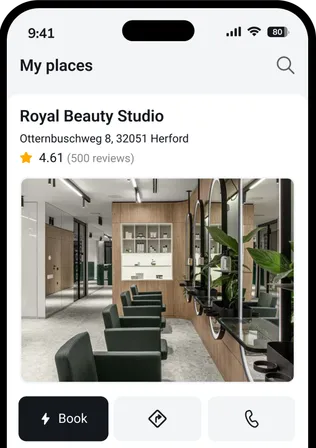
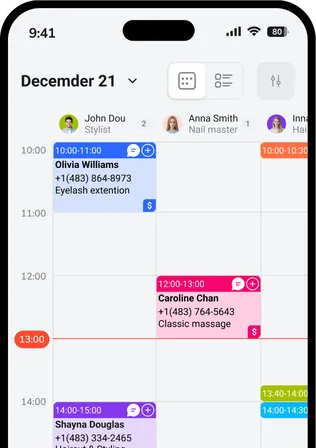
Our system works on smartphones, tablets, and in the web version. No additional equipment is required.




 Pro
ProJoin the companies that trust us
Create your success story with EasyWeek!
Frequently asked questions
Can’t find the answer? Contact our friendly team.
Stay with your customers: we’ll take care of the rest
Try EasyWeek for effective business management. Our support team is always available: 7 days a week, free on any plan.