More appointments. No unnecessary calls.
EasyWeek brings all your visits together in one app and helps businesses accept online booking without messenger chaos or manual reminders.
Client
Business
2026-10-28 12:07

Manicure + French tipsBeauty Studio ‘Luxe’

Royal Beauty Studio25 Oxford Street, London
4.9 55 reviews
 Alexander K.Doctor
4.9

EasyWeekYour booking is confirmed!
Now
How EasyWeek works for customers
Just a few steps, and you’re booked in. EasyWeek removes calls, back-and-forth messages and manual reminders from your life.



Search and bookFind a trusted specialist or clinic, view services and prices, and book online: without calls or waiting on hold
Manage appointmentsAll your visits in one app. Reschedule, cancel or rebook in a couple of clicks at any time
Smart remindersEasyWeek reminds you about your visit in advance, so you don’t forget or miss an important appointment
Reviews and trustRead honest reviews and share your experience after a visit: making it easier for others to choose a reliable specialist or clinic
Online booking that works for you
For customers: fast booking. For businesses: automated appointment scheduling without calls or hassle.
Book in 2 minutes
Find the right specialists, compare reviews and book a convenient time online: all in one app

Notifications you won’t forget
EasyWeek automatically sends confirmations and appointment reminders. Customers arrive on time, and you lose less to no-shows.

Yoga class Haircut Manicure Entertainment Tyre replacement

No calls. No chaos.
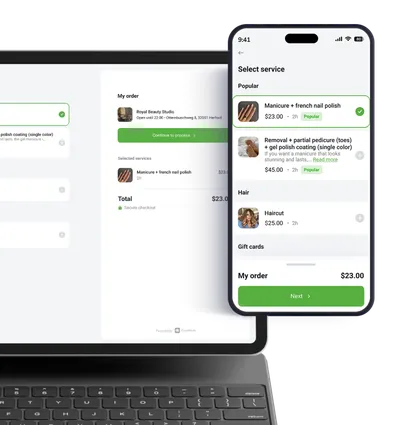
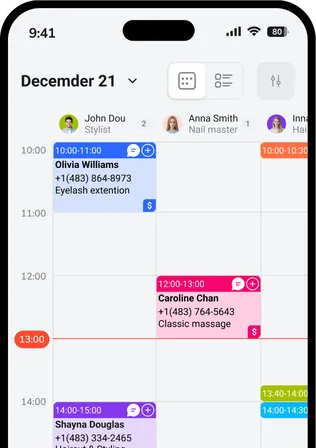
Customers book online, and you see all appointments in your calendar: no time wasted on messages or manual changes
EasyWeek user reviews
The average app rating is 4.9 out of 5. Trusted by both customers and business owners.
Two apps. One powerful platform.
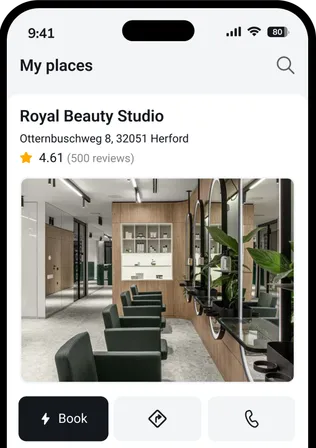
EasyWeek works for both those who book and those who accept bookings.




Frequently asked questions
Here’s everything you need to know about using EasyWeek.
Open the EasyWeek app or website. Find the service or company you need, choose a specialist and time, and confirm your booking: no phone calls needed.
Yes. Open your booking in the EasyWeek app and choose ‘Reschedule’ or ‘Cancel’. The business will be notified automatically.
Click ‘Connect your business’, sign up, add services, staff and working hours. After setup, you’ll be able to accept online booking from your website, social media and the EasyWeek app.
We’re already preparing the public EasyWeek marketplace. If you connect your business now, you’ll be among the first to appear in the open directory as soon as it becomes available in your region.


